Running an installation business means managing a constant flow of communication, planning, and execution across multiple teams and tools. On any given day, you are coordinating with customers, aligning with your team, checking schedules, and making sure every project moves forward without delays.
To keep everything running smoothly, you rely on tools like email, calendars, and OpusFlow. However, when these tools are not connected, it becomes harder to stay in control.
Important emails get buried. Schedules are not always fully visible. Teams miss context simply because information lives in different places.
Over time, this creates friction in your workflow and slows down your operations.
That is why we have introduced Google Workspace & Microsoft 365 integration in OpusFlow. With this release, your emails, calendar events, and project data are brought together into one central workspace.
In this blog, we will walk you through what this integration includes, the problems it solves for installation businesses, and how it helps your team work more efficiently. Continue reading to see how this can simplify your day-to-day operations.
The problem of switching between too many tools
However, when your tools are disconnected, that alignment becomes difficult to maintain.
These situations are common, especially when teams are busy and working across multiple projects at the same time.
In this section, it becomes clear that the problem is not a lack of tools, but a lack of connection between them. Continue reading to discover how bringing these tools together can remove these bottlenecks.
Bring your email and calendar into one workspace
With the new Google Workspace & Microsoft 365 integration, OpusFlow becomes the central place where all your work comes together.
One Platform to Run Your Entire Installation Business
Manage leads, projects, stock, and invoicing — everything in one smart system built for sustainable installers.

New features with the Google Workspace & Microsoft 365 integration
Instead of treating email, calendar, and project management as separate parts of your workflow, these features are designed to work together in the context of your daily operations. This is especially valuable for installation teams, where planning, communication, and execution are tightly connected and constantly evolving throughout the day.
In the sections below, we’ll walk you through the key features and show how each one helps remove friction from your workflow.
View your calendar directly in the planning calendar

Planning installations without visibility into your actual schedule often leads to conflicts and inefficiencies.
With the calendar overlay, your Google Calendar or Outlook events are displayed directly inside the OpusFlow planning calendar.
See team availability with busy and free visibility
With busy and free visibility, planners can now see when team members are occupied, without exposing private details. Only time blocks are shown, ensuring privacy is respected.
Track your schedule with the sidebar agenda widget

In a busy installation environment, you often need quick answers instead of detailed views.
The sidebar agenda widget provides a real-time overview of your upcoming schedule, combining events from OpusFlow, Google Calendar, and Outlook into one timeline.
Manage your emails without leaving OpusFlow

Email remains a key part of communication with customers and internal teams. However, constantly switching between your inbox and your project tool can disrupt your focus.
With this integration, your emails are now accessible directly inside OpusFlow. You can read, reply, and send messages without leaving the platform.
This keeps your communication connected to your work and allows you to move faster throughout your day.
But the real value comes from how emails are connected to your projects.
Automatically link emails to projects contacts and companies
This improves collaboration and ensures that everyone is working with the same context.
Let’s take this one step further.
Centralize communication with email views for contacts and companies
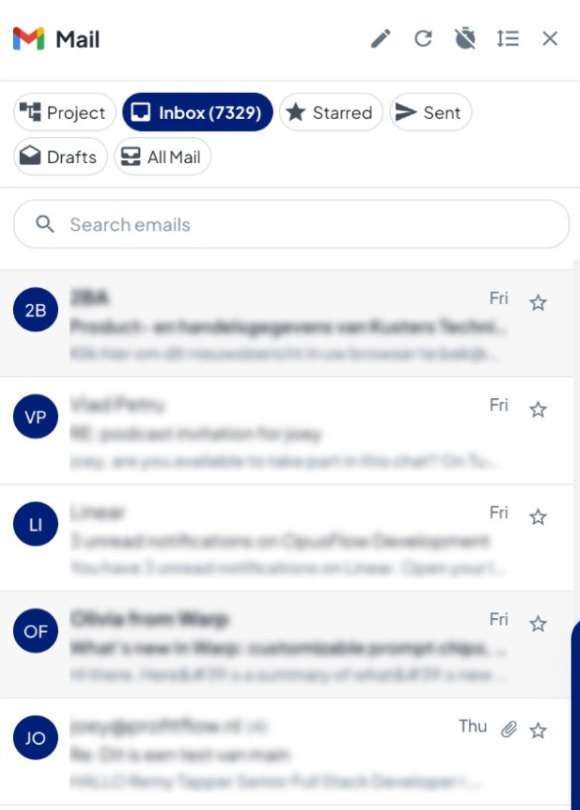
To make communication even more accessible, contacts and companies now have a dedicated email view.
Here, all emails from OpusFlow, Gmail, and Outlook are brought together into one place, creating a complete overview of all interactions.
This makes it easier to manage customer relationships and ensures that no important information is overlooked.
Now that we have covered the features, let’s look at how easy it is to get started.
How to set up the Google Workspace & Microsoft 365 integration
From the OpusFlow settings, you can connect your Google Workspace or Microsoft 365 environment and configure which features you want to enable.
This means your team can start benefiting from the integration immediately, without needing to change how they work.
One Platform to Run Your Entire Installation Business
Manage leads, projects, stock, and invoicing — everything in one smart system built for sustainable installers.
How this integration improves your daily workflow
Secure and privacy friendly email and calendar integration
Manage projects emails and planning in one connected platform
Start using the integration today
By integrating Google Workspace or Microsoft 365 with OpusFlow, you create a more efficient and structured way of working for your entire team. Your planning becomes clearer, your communication becomes more accessible, and your team can stay aligned without unnecessary effort.
If you need help setting up this feature, feel free to contact our support team. They are ready to guide you through the setup and make sure everything works smoothly for your environment.
New to the OpusFlow world and curious to see how it works in action? Book a demo and discover how OpusFlow can support your entire workflow, from planning to execution. 🚀
FAQ
What is the Google Workspace and Microsoft 365 integration in OpusFlow?
The OpusFlow integration connects Gmail, Outlook, Google Calendar, and Microsoft 365 directly to your project management environment, so emails, schedules, and project data are managed in one central platform.