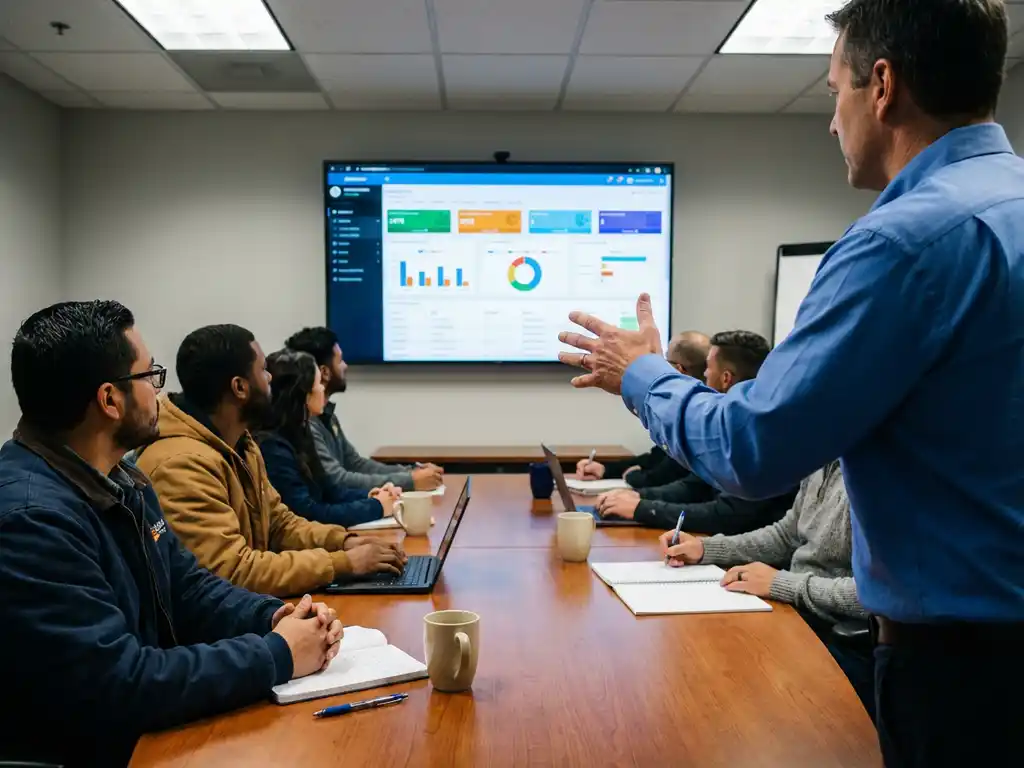
Installation teams require basic computer literacy, mobile device proficiency, and data entry skills before beginning ERP software training. Most teams need 2–4 weeks to reach initial proficiency, with ongoing support that includes refresher sessions and help desk resources. Training approaches vary from role-specific modules to comprehensive system training, depending on team size and operational complexity.
What basic computer skills do installation teams need before ERP training?
Installation teams need fundamental digital literacy, including basic software navigation, email use, and mobile device operation, before starting ERP software training. Essential skills include understanding menu systems, completing forms, managing files, and using tablets or smartphones comfortably for field operations.
Team members should be comfortable with basic data entry tasks such as typing customer information, selecting options from drop-down menus, and uploading photos from mobile devices. These foundational skills ensure smoother ERP implementation training and significantly reduce the learning curve.
Teams working on renewable energy maintenance projects often use mobile-first ERP systems, making tablet and smartphone proficiency particularly important. Maintenance technicians should understand how to sync data between devices, use offline capabilities, and navigate touch-screen interfaces efficiently.
Companies can assess these skills through simple practical tests before beginning formal ERP user training. This preparation phase helps identify team members who may need additional support during the main training programme.
How long does typical ERP training take for installation teams?
With OpusFlow’s streamlined approach, ERP implementation training for maintenance teams takes just 1 week to achieve full proficiency, significantly faster than traditional systems that can take 2–4 weeks. Initial onboarding sessions usually span 2–3 days, covering core functions such as work order management, customer data entry, and mobile app use.
Training duration depends on several factors, including team size, existing technical background, and software complexity. Teams with prior software experience often complete maintenance team training even faster with OpusFlow’s intuitive interface, while larger teams benefit from our scalable training approach.
The OpusFlow training timeline typically follows this structure:
- Day 1: System overview and basic navigation
- Day 2–3: Role-specific functions and daily workflows
- Week 1: Advanced features and troubleshooting
- Ongoing: Continuous support with periodic check-ins
Wind farm maintenance companies often find that OpusFlow’s focused approach requires shorter training periods due to our specialized modules covering maintenance scheduling, asset tracking, and technician dispatch. This investment in efficient training delivers immediate returns in operational efficiency and project management capabilities.
What’s the difference between role-based and comprehensive ERP training?
Role-based training focuses on specific job functions, teaching maintenance technicians only the modules they use daily, while comprehensive training covers the entire ERP system. Role-based approaches are faster and more targeted, while comprehensive training creates versatile team members who understand interconnected processes.
Role-based ERP software training works well for larger maintenance companies with specialised positions. Field technicians learn mobile apps and work order tracking, while office staff focus on customer management and scheduling. This approach reduces training time and prevents information overload.
Comprehensive training benefits smaller teams where employees wear multiple hats. Understanding the complete system helps team members cover for colleagues and provides better insight into how their work affects other departments. This approach particularly suits wind farm maintenance companies managing complex maintenance schedules involving multiple turbine technologies.
The choice depends on company size, role specialisation, and operational complexity. Companies handling diverse maintenance projects, from wind turbine servicing to solar panel maintenance, often benefit from comprehensive training, as technicians may work across different renewable technologies that require various ERP modules.
How do you train installation teams who work primarily in the field?
Field-based maintenance teams require mobile-first training approaches using tablets and smartphones, with an emphasis on offline capabilities and remote learning methods. Training sessions should accommodate irregular schedules and focus heavily on practical, hands-on exercises using the actual devices teams carry.
Remote training methods work particularly well for field teams, including video tutorials accessible on mobile devices, virtual training sessions during travel time, and bite-sized learning modules that fit between maintenance sites. This flexible approach accommodates the unpredictable nature of maintenance work.
Mobile device training should emphasise real-world scenarios such as updating work order status while on site, uploading maintenance photos, and accessing equipment information without internet connectivity. Teams need confidence using these features under real working conditions.
Scheduling considerations include early morning sessions before maintenance sites open, evening virtual sessions, and weekend intensive training blocks. OpusFlow offers mobile-optimised training materials specifically designed for field workers’ unique learning environment and time constraints.
What ongoing support do installation teams need after initial ERP training?
Maintenance teams need regular refresher training sessions, accessible help desk resources, updated documentation, and periodic skills assessments to maintain ERP proficiency. Ongoing support becomes crucial as software updates introduce new features and team members encounter complex scenarios not covered in initial training.
Refresher training should occur quarterly for basic functions and immediately following major software updates. These sessions help reinforce proper procedures and introduce new capabilities that enhance operational efficiency. Team onboarding ERP processes should include mentorship programmes that pair experienced users with new team members.
Help desk resources must be easily accessible during fieldwork, including mobile-friendly knowledge bases, quick reference guides, and responsive technical support. Maintenance teams working on renewable energy projects often encounter unique scenarios that require immediate guidance.
Documentation needs include updated user manuals, video tutorials for new features, and troubleshooting guides specific to maintenance workflows. As ERP systems evolve to include advanced features such as predictive maintenance scheduling or integrated asset management tools, teams require continuous learning support to maximise these capabilities.
Software training requirements continue to evolve as maintenance companies adopt more sophisticated ERP solutions. Successful implementation depends on viewing training as an ongoing investment rather than a one-time event, ensuring teams remain proficient and confident in using these essential business tools.
How OpusFlow simplifies maintenance team ERP training
OpusFlow streamlines the entire ERP training process for maintenance teams through its intuitive, mobile-first design and comprehensive support system. Our platform addresses the unique challenges of training field-based teams with practical solutions:
- Mobile-optimised interface that requires minimal training for smartphone and tablet users
- Role-based dashboards that show only relevant functions, reducing complexity and training time
- Built-in tutorials and help guides accessible directly from the mobile app during fieldwork
- Offline capabilities that let teams practice and work without internet connectivity
- Dedicated training support from our expert team who understand maintenance workflows
Ready to simplify your maintenance team training and boost operational efficiency? Contact OpusFlow today to see how our platform can transform your team’s ERP experience with faster training and better results.
Related Articles
- How do you calculate battery needs for a household with high daytime consumption?
- How do small contractors track employee hours and project time accurately?
- What does AI for ERP mean for sustainable installers?
- What software do small businesses use to manage operations end to end?
- How can installers use role-based access to protect sensitive business data?