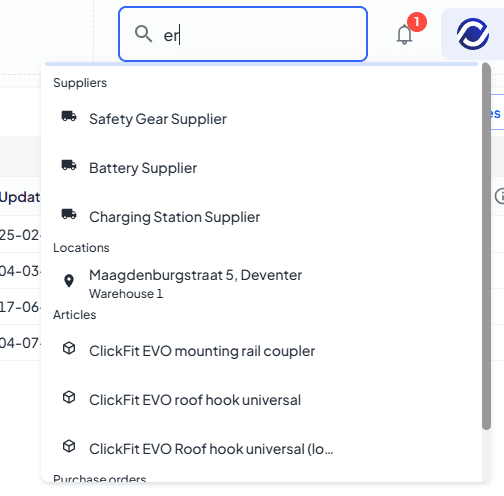
🌟 Press Ctrl + K in the environment to open a search bar. You can search for projects, contacts, articles, suppliers, warehouse locations, purchase orders.
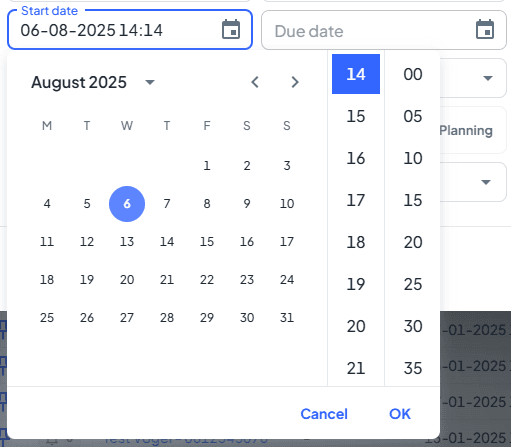
🌟 The time and date picker has been redesigned to be more user-friendly, replacing the old round clock interface.
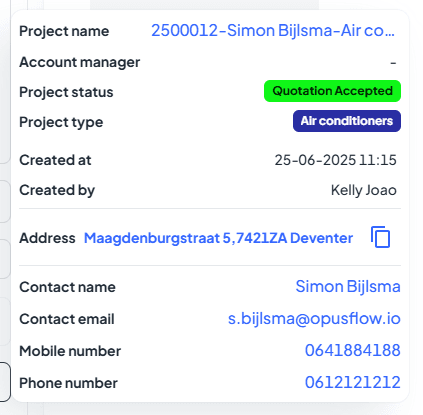
🌟 Hovering over a project name in the ticket overview now shows a pop-up with project information for quick reference.
🌟 Launch of PV-Designer v2 🚀
PV-Designer v2 introduces a range of powerful new features designed to make solar planning even faster, smarter, and more flexible. Here's what’s new:
Obstacle height feature: A new obstacle creation tool allows you to specify obstacle height, so you can assess its shadowing effect on the solar installation.
🎥 Want to see PV-Designer v2 in action? Click here to heck out the interactive demo video we've prepared to guide you through the new features.
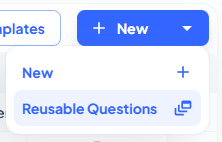
🌟 You can now create reusable questions in the Forms module. Simply click "Reusable Question" after pressing the New button to create and save a question. You can then easily reuse it when building future forms.
🌟 In the Forms module, you can now attach a PDF template to a form. When the form is filled in, a PDF is automatically generated and added to your Documents.
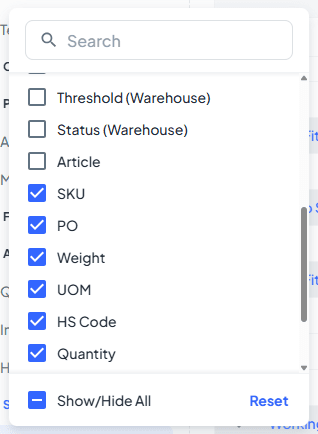
🌟 New columns added to the Stock Overview: Weight, UOM (Unit of Measure), and HS Code, providing more detailed inventory data.
🌟 You can now set stock thresholds for different locations within the same warehouse. Previously, thresholds could only be set per warehouse.
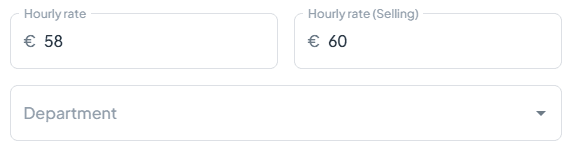
🌟 You can now configure hourly cost per user instead of using a fixed rate for everyone. You can now configure hourly costs per user instead of using a fixed rate for everyone. Just go to the Management module → Users, open the user you're looking for, and set their individual hourly rate.
🌟 (specifically for Spanish customers) Custom fields in Spain are no longer deleted when changing the project type. This means previously entered custom data will now persist after a project type is modified.
🌟 You can now generate a UBO (Universal Business Object) file with invoices. This format is widely accepted across global accounting systems, streamlining financial processes.
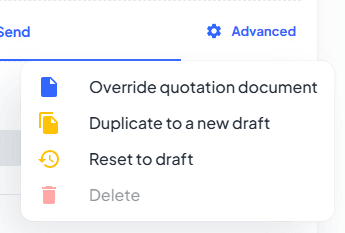
🌟 We’ve brought back the “Reset to Draft” button for quotes. You can use it as long as the quote hasn’t been sent to your client yet. Once it’s been sent, simply use the “Duplicate to New Draft” button to create a new editable version.
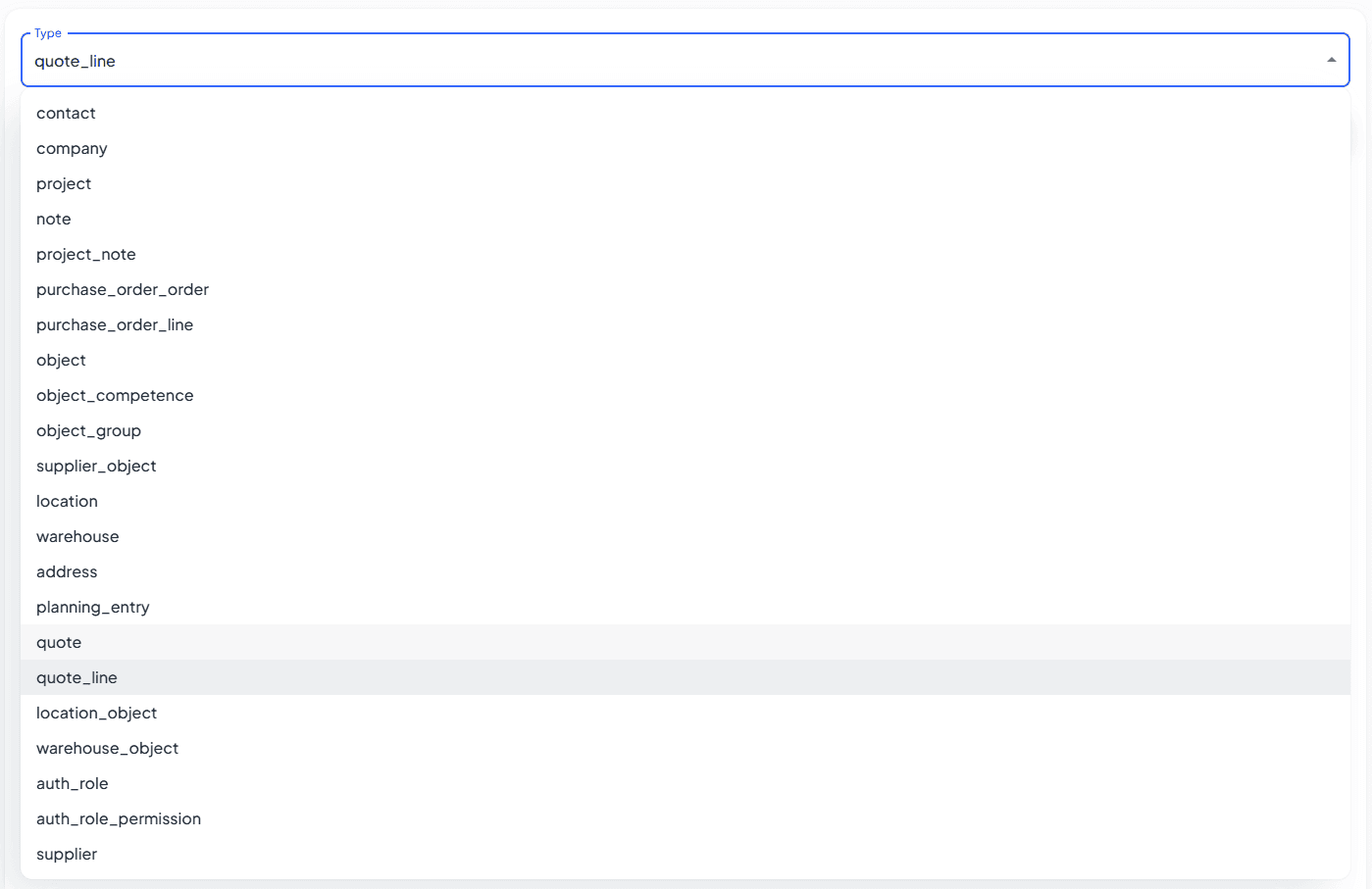
🌟 In Settings, new export options have been added: Quote and Quote line data can now be exported. This allows admins to download a full CSV of all quotations, including detailed information.
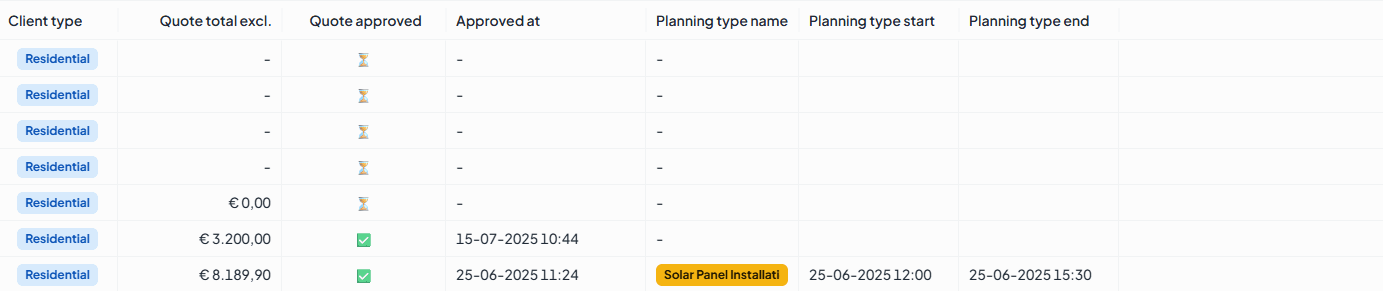
🌟 In the Projects module, three new columns have been added: Quote total, Approved, and Planning, improving project data visibility. In the Projects module, three new columns have been added: Quote Total, Approved, and Planning. The Planning column shows the upcoming planning entry that is closest in the future, giving you a quick overview of what’s coming next in each project.